MyMan: Pac-Man for Your Terminal
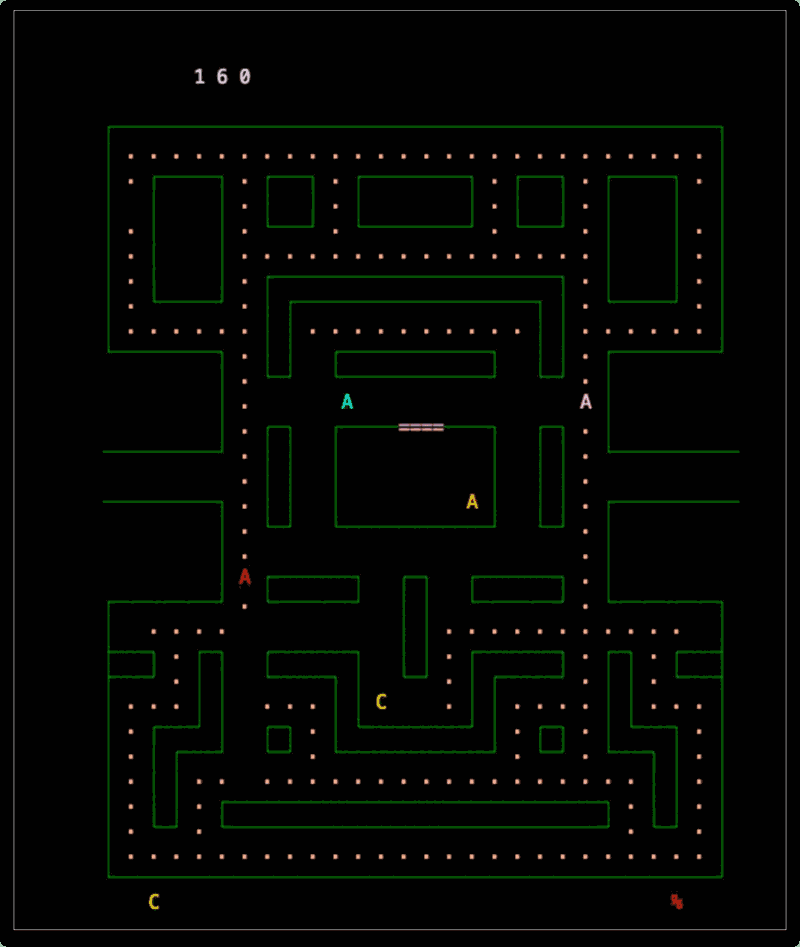
If you've ever wanted to chomp ghosts without leaving your terminal, MyMan is the game for you. It's a faithful text-mode recreation of Namco's classic Pac-Man, running entirely in your console using curses — no GUI required.
What is MyMan?
MyMan is an open source, MIT-licensed terminal game written in C. It brings the full Pac-Man experience — dots, power pellets, ghosts, and mazes — to color and monochrome text terminals. It earned a SourceForge Community Choice badge after crossing 10,000 downloads, which speaks to how much terminal gaming enthusiasts have embraced it.
Beyond being a fun game, MyMan is impressively portable. It supports an extensive list of display backends:
- curses/ncurses — the standard terminal UI library on Linux/macOS
- PDcurses / XCurses — Windows and X11 variants
- aalib / libcaca — ASCII art rendering libraries
- Allegro / GGI — graphical backends
- Carbon — native macOS output
- Win32 console, VMS console, and more
This means MyMan can run almost anywhere you can get a shell.
Gameplay
The rules are classic Pac-Man:
- Navigate the maze eating all the dots to advance to the next level
- Avoid the ghosts — they'll cost you a life
- Eat a power pellet to temporarily turn the tables and hunt the ghosts yourself
- Chase high scores across increasingly difficult levels
The text-mode rendering is surprisingly charming. Characters and block elements stand in for the sprites, and on a color terminal it looks exactly like what it is: a love letter to arcade gaming.
Installing MyMan
Linux
From source (recommended):
MyMan's source tarball is available from SourceForge. You'll need ncurses development headers and a C compiler.
# Install dependencies (Debian/Ubuntu)
sudo apt-get install build-essential libncurses5-dev

# Fedora/RHEL
sudo dnf install gcc ncurses-devel

# Arch Linux
sudo pacman -S base-devel ncurses
Download the latest source from SourceForge and build:
tar xzf myman-*.tar.gz
cd myman-*/
./configure
make
sudo make install
Then launch it:
myman
Arch Linux (AUR):
yay -S myman
# or
paru -S myman
macOS
Using Homebrew:
brew install myman
If it's not in the main tap, install from source. You'll need Xcode command-line tools and ncurses:
xcode-select --install
brew install ncurses

tar xzf myman-*.tar.gz
cd myman-*/
./configure
make
sudo make install
On modern macOS you may need to tell configure where Homebrew's ncurses lives:
./configure CPPFLAGS="-I$(brew --prefix ncurses)/include" \
            LDFLAGS="-L$(brew --prefix ncurses)/lib"
make
sudo make install
Keybindings
| Key | Action |
|---|---|
| Arrow keys | Move Pac-Man |
q |
Quit |
p |
Pause |
Why Play MyMan?
There's something deeply satisfying about playing an arcade classic in the same environment where you compile code and push commits. MyMan is lightweight, requires no X server, works over SSH, and is a perfect five-minute distraction between tasks. It's retro gaming at its most minimal — and most charming.
Project page: https://myman.sourceforge.io